I use AI across the whole job: in my design tools every day, in a system I built to help a client run their online store, and in personal projects. I design each AI system like a product: clear roles, one owner per job, checks before work moves on and a dashboard that shows where things stand.
-
Strategy
System design, dashboards, quality checks
-
Design
AI in Figma, WordPress and Opal, dashboards, film
-
Role
Designer and builder, client and personal projects
I design the systems that make AI dependable
AI is fast at a first pass and poor at staying consistent, so I design the system around it. Three examples: the AI in my design tools, a system I built for a client’s online store, and a short film made by one person. Pick one to jump there.
AI in the tools I design with every day
AI is part of how I work, not a side project. In each tool it does the repetitive part: building, checking, drafting, cleaning up. I set the rules it works to and decide what stays.
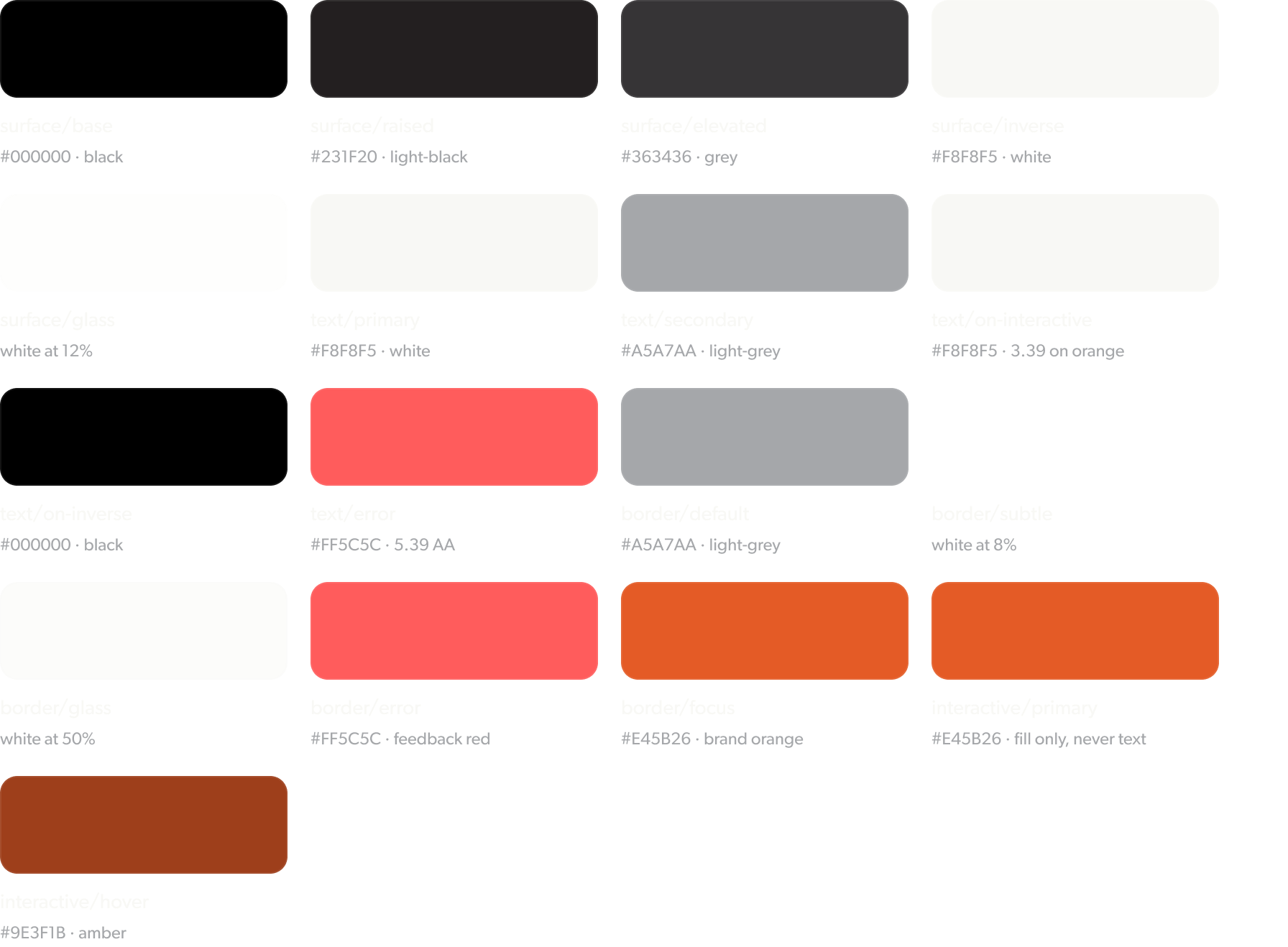
Design systems, with AI connected to the file
- What the AI does
- Works inside the Figma file through a connector: binds every colour to its variable, lays out component variants and finds parts that break the system.
- What I decide
- The tokens, the rules each component follows and which fixes go in. The bigDAWGS design system is the example here.
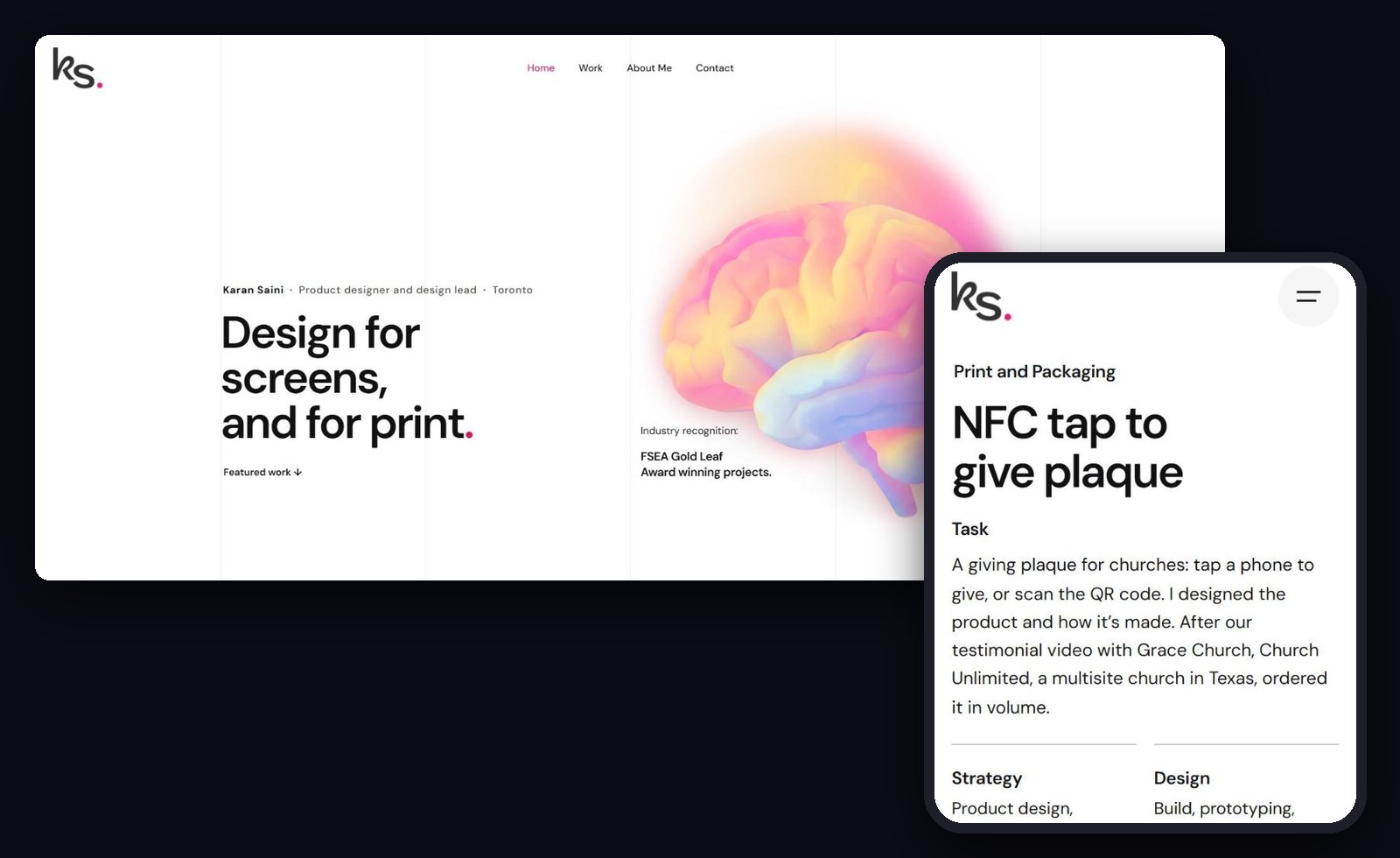
This portfolio, built and checked with AI connected to the site
- What the AI does
- Builds sections, writes the page CSS and measures every page at five screen widths against one written design spec.
- What I decide
- The layout, the copy and the design rules every page has to follow, written down once so every page is held to the same list.
- What it caught
- One accessibility pass across all 12 pages found skipped heading levels, missing page landmarks and labels below contrast. All fixed in the same pass, without changing how the pages look.
Screen widths in pixels. Every row has to pass before a page goes live.
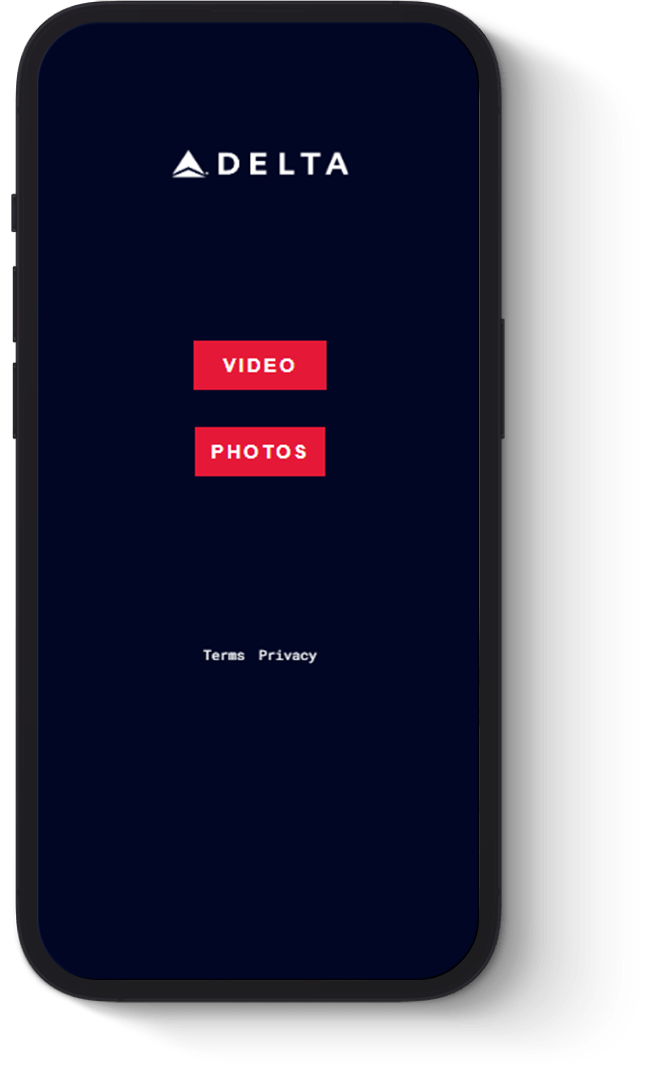
Custom punch.ninja pages, from my design to a working page
- What the AI does
- Turns my page designs into working pages for punch.ninja, our link page product for NFC buyers.
- What I decide
- The design of each page and what goes on it for the client.
- Where it went
- Custom pages for clients such as Delta Air Lines, in a product that signed 10+ clients in its first month.
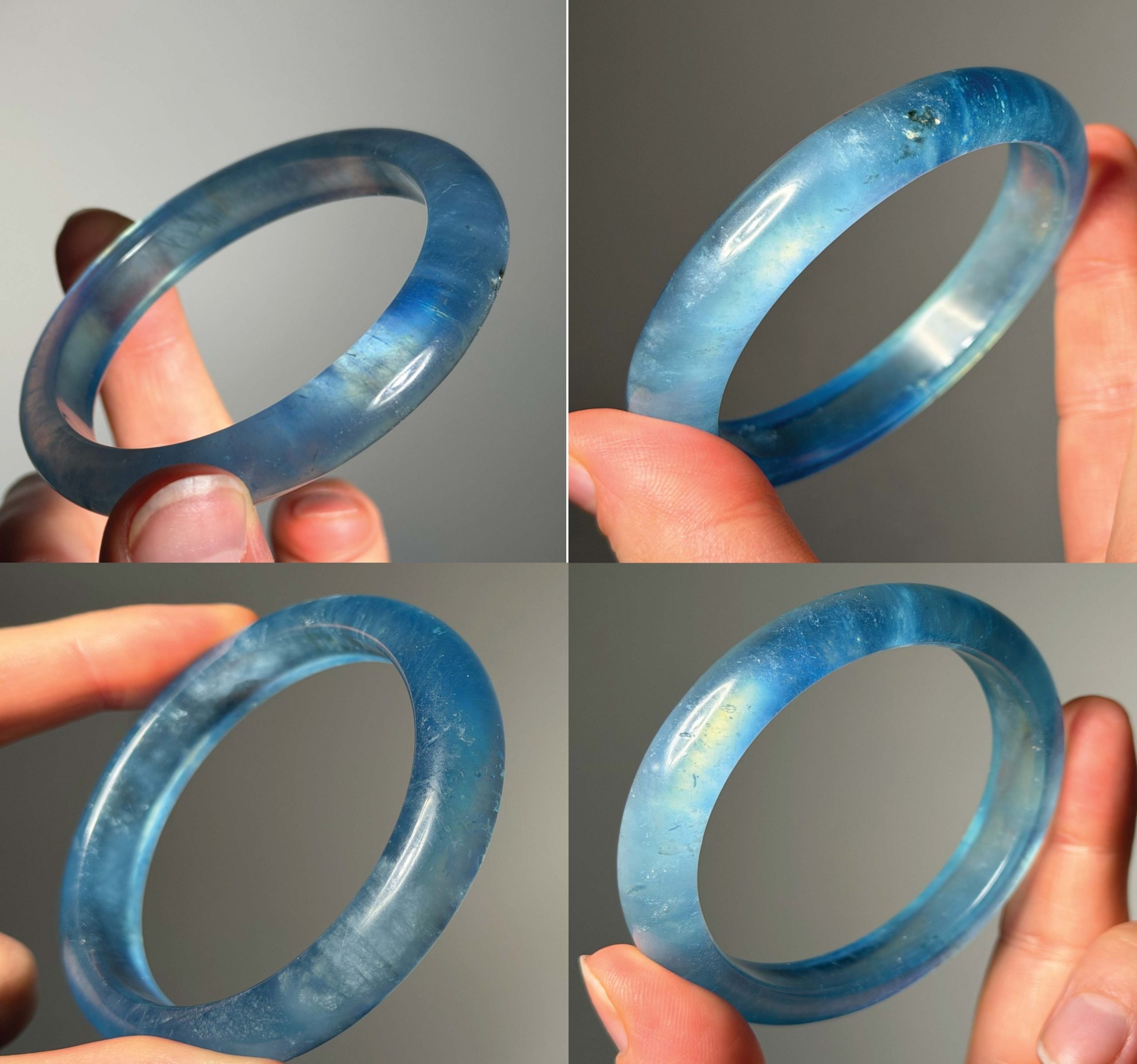
Mockups and concepts from real artwork
- What the AI does
- Turns real product photos and artwork into styled shots and early concepts, and cleans up and enlarges photos.
- What I decide
- Which ideas move forward, and that what’s shown is the real product.
An AI team that helps run a client’s online store
I built an AI system for a client, a crystal and candle brand, so the owner can run the shop with less guesswork. A lead role plans the work and hands it to roles with one job each, every file has one owner, and a dashboard I designed shows the owner what’s done, what’s waiting on them and what comes next.
- A lead role plans the weekIt hands out the work and answers to the owner.
- Roles with one job draft the workListings, the website, marketing, operations and the numbers, each written by its own role.
- The owner reviews and decidesEverything lands in one dashboard, so the owner approves instead of writing.
- It opens on what needs the owner, not on charts.The first tab is the owner’s own task list. The team files each task with a tag and a priority, so the day starts with decisions, not data.
- One checklist per product.Every product goes through the same steps from stock to packaging, and the next one in the queue is always on top. Nothing goes live with a box unticked.
- Flags instead of more charts.The numbers tab shows a few figures against the monthly goal and marks any week outside its usual range, so a dip gets noticed without reading every chart.
- About 8 hoursback each week, my estimateWeekly numbers, listing drafts, the week’s plan and website copy arrive drafted. The owner reviews instead of writing.
- Problems foundnot guessed atWhen sales dip, the system checks the weekly numbers and every listing, points to where the problem is and suggests the fix.
- No more side appsfor notes, tasks and templatesNotes, tasks and product checklists live in the system. The owner asks for what she needs in plain words.
“When sales dipped, I used to have no idea why. Now it checks the numbers and every listing each week, shows me the problem and how to fix it, and I just tell it what I need instead of juggling three apps.”
The owner’s dashboard: a simplified recreation with sample data. Same tabs, same order and same building blocks as the real one; the shop’s figures stay private.
To do4
Approve 3 new listing drafts
Pick the photos for the gift set
Set the holiday shipping cut off date
Choose next month’s featured product
Doing2
Review the new About page copy
Restock the small gift boxes
Done3
Answer the wholesale enquiry
Approve this week’s pins
Update the care card
Lavender soy candle
Candles made and on the shelf, at the stock target
Label printed for this scent
Gift box chosen
Care card written for this candle
Product photos taken
Each product gets the same checklist, from stock to packaging. Nothing goes live with a box unticked.
Website and brand
13 of 31 steps doneC1 · Sitemap and page list
Draft done from the research. Waits on the owner’s review.Pick one of two navigation options
Confirm the fonts used on the printed labels
Usual weekly range 1.8% to 2.3%. No price, stock or listing change found. Flagged by the researcher.
Holiday season
Ends the first week of January. Leaves early if a month comes in well below the one before.
Approve 3 new listing drafts
From the listing manager · due FridayPick the photos for the gift set
From brand design · 6 options readyRead the weekly numbers note
From the researcher · 2 minute readDiscovery summary
- Last 30 days: 112 orders from 5,860 visits, 1.9% conversion.
- The month is on pace for its goal: 64% reached, 18 days in.
- Visits are ahead of the same weeks last year; conversion is the number to lift.
- Every figure links to the report it came from.
The fact checker
before the lead signs itA short film, made through ten small AI apps
Image tools don’t remember the last shot, so faces and places drift. I built the film as a chain of small apps in Google Opal. Each step has one job and its own output, a review scores the whole plan before anything is made, and repair steps fix only what it flags. Click a step to see what goes in, what comes out and how it’s checked.
01 · Script refiner
The story, in a few paragraphs
A screenplay and a production report
A script doctor review before it moves on
02 · Character casting
The screenplay
A casting sheet for every character, and nine angle studies from one reference image
Each profile becomes the standard later images are checked against
03 · World building
The screenplay
A location guide: mood, sound and a prompt snippet for each place
The same snippet goes on every shot set in that place
04 · Greenlight review
The script, the casting sheet and the location guide, together
A scored report. It came back Yellow, with two continuity errors and a missing location
Nothing is made until the plan passes
05 · Repair
The report and the three documents it flagged
A fixed script, an older Jack in the casting sheet and the missing tunnels in the location guide
“Fixed 2 errors. 100% of original dialogue and action preserved.”
06 · Asset validator
An image and its character or location profile
A pass, or a list of what doesn’t match
Age, scars, clothing texture, lighting and camera angle
07 · Shot list
The repaired script
The film broken down shot by shot
A continuity and pacing review
08 · Shots
The shot list and the images that passed the validator
The shots, generated in Higgsfield
Every shot starts from checked references
09 · Score
The parts of the story
Music cues made in Suno
One cue for each part of the story
10 · Edit
The shots and the music
The finished film, about four minutes long
Every cut is my decision
The Way Home, the full film, about four minutes
Explore the full projectSmaller systems I built to test ideas
Four personal projects, each built the same way as the systems above. Open a card for how it works and what it found.
Market research toolFinance Manager
AI roles that screen the market, research and score companies, and a dashboard that opens on what to do today. A personal project; I make every call.
How it works
- The roles
- ScoutPrepAnalystLead
- How it runs
- The scout finds companies worth a look, the prep role gathers filings, prices and news, and the analyst values each one in a bad, likely and best case and sets a buy price. The lead role signs the odds and writes the orders.
- What I designed
- The dashboard opens on the answer: what to act on today, then what’s close, then what needs me. Every number carries its source and date, and the page warns me when its status is older than the newest research.
- The honest target
- Match a global index fund after fees, not promise to beat the market. Not investment advice.
Engineering studyDuper Car Labs
It started as a car that could fly, dive and drive. Now five AI roles test whether a one seat electric aircraft that lands on water could work, with a source behind every claim.
How it works
- The team
- Chief of StaffResearch and feasibilityEngineering conceptDesign and visualizationCommercialization and IP
- The concept
- A one seat electric multirotor that lands on water or flat ground on its floats and takes off again, sized for the US ultralight rules (FAR Part 103). Phase 1 is digital only: prove it in simulation with parts sold today.
- The rules
- Every market, physics, regulation or patent claim is searched in the same session. With no source, the file says “could not source”, and the team has to say plainly when something won’t work.
- What it found
- The first concept was shelved. The current one floats and lifts off the water, but at the ultralight weight limit its battery gives about 5 minutes of flight against a 15 minute target. The study reports that instead of hiding it.
Research toolIdea Verifier
Give it a business or product idea and it researches the market, the costs and the revenue, then says plainly whether it works.
How it works
- How it runs
- 1 Clarify2 Research3 Feasibility4 Build and run5 Revenue6 Verdict
- What the AI does
- Searches the web for the market size, three to five competitors and their prices, and any new rules in the space. It keeps the build cost apart from the monthly running cost, gives a best, likely and worst case for the first year with a break even date, and cites a source for every number.
- The verdict
- Works, works with changes, or doesn’t work, with the top three reasons and the single biggest risk.
- What I built
- The instructions. It’s told not to talk me into ideas, and to search before it quotes any price, competitor or market number.
Product researchOmniWheel Lab
Five AI roles designing, simulating and costing a wheel module for an EV that turns a full 360 degrees, before anything is built.
How it works
- The team
- Spec editorResearchSimulationVisualizationAnalysis
- What the AI does
- Builds an interactive 3D model of the module and ranks each part by load, cost and risk, with what would settle each open question.
- The rules
- Every claim about physics, materials or cost comes with a source and a confidence level. Anything safety critical, like steering, braking or the load path, is flagged for a licensed specialist to check before money is spent.
Happy to walk through any of these systems, and how this way of working would fit your team.